 inktype.cc
At a glance
Both tools start from a printed sheet. You write one character in each box, photograph or scan the page, and get a font file back. The table compares Calligraphr's free plan with inktype.cc.
| Calligraphr, free plan | inktype.cc | |
|---|---|---|
| Price | Free. Pro is paid, and its price depends on your country. | Free on the web and as a desktop app. The Mac App Store version costs $4.99. |
| Account | Required | None |
| Characters per font | 75. Pro allows 600. | No limit. Add more characters from a blank sheet. |
| Fonts | As many as you like, one at a time. Pro works on 20 at a time. | No limit |
| Variants and ligatures | 2 variants per character. Ligatures need Pro. | Up to 3 versions of each letter, from more copies of the letters sheet. Ligatures from a ligatures sheet for your language |
| Kerning | None: the test font below has no kerning table. Pro can change the spacing of single characters. | Automatic, with a strength you set |
| File format | TTF and OTF. In the test below both files held the same TrueType outlines. | OTF, TTF, WOFF and WOFF2 |
| Your scan | Uploaded to Calligraphr, which builds the font on its server. Pro fonts are also stored there. | Read by your own browser. Nothing is uploaded. |
| Runs on | Web browser | Web browser on a screen at least 980 px wide, or the desktop app for macOS, Windows and Linux |
One handwritten sheet through both
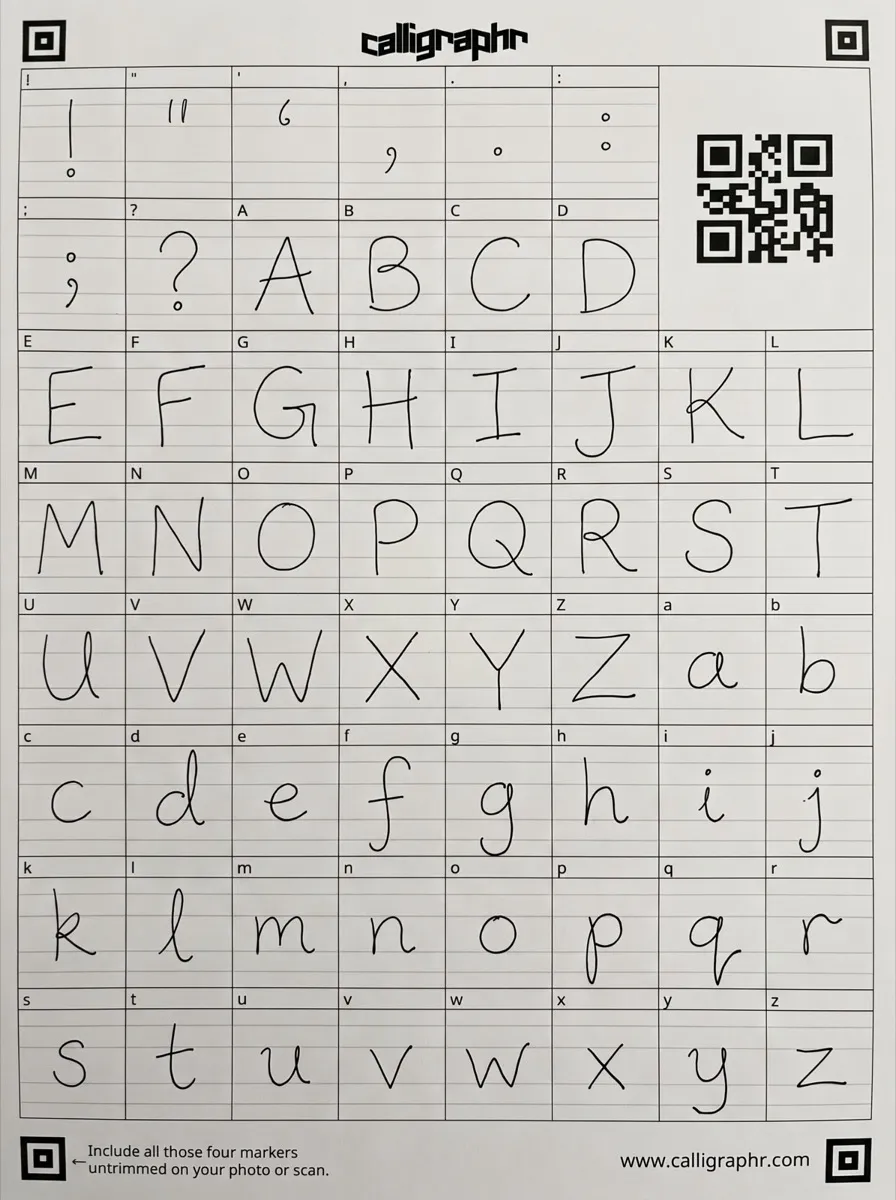
The author filled in Calligraphr's free template by hand with a fine pen: 60 characters, the capitals, the lowercase letters and eight punctuation marks. A phone photo of the sheet went into the free plan. Calligraphr kept all 60 characters and had the font ready about 15 seconds after they were added. Its .ttf and .otf downloads were the same TrueType file.
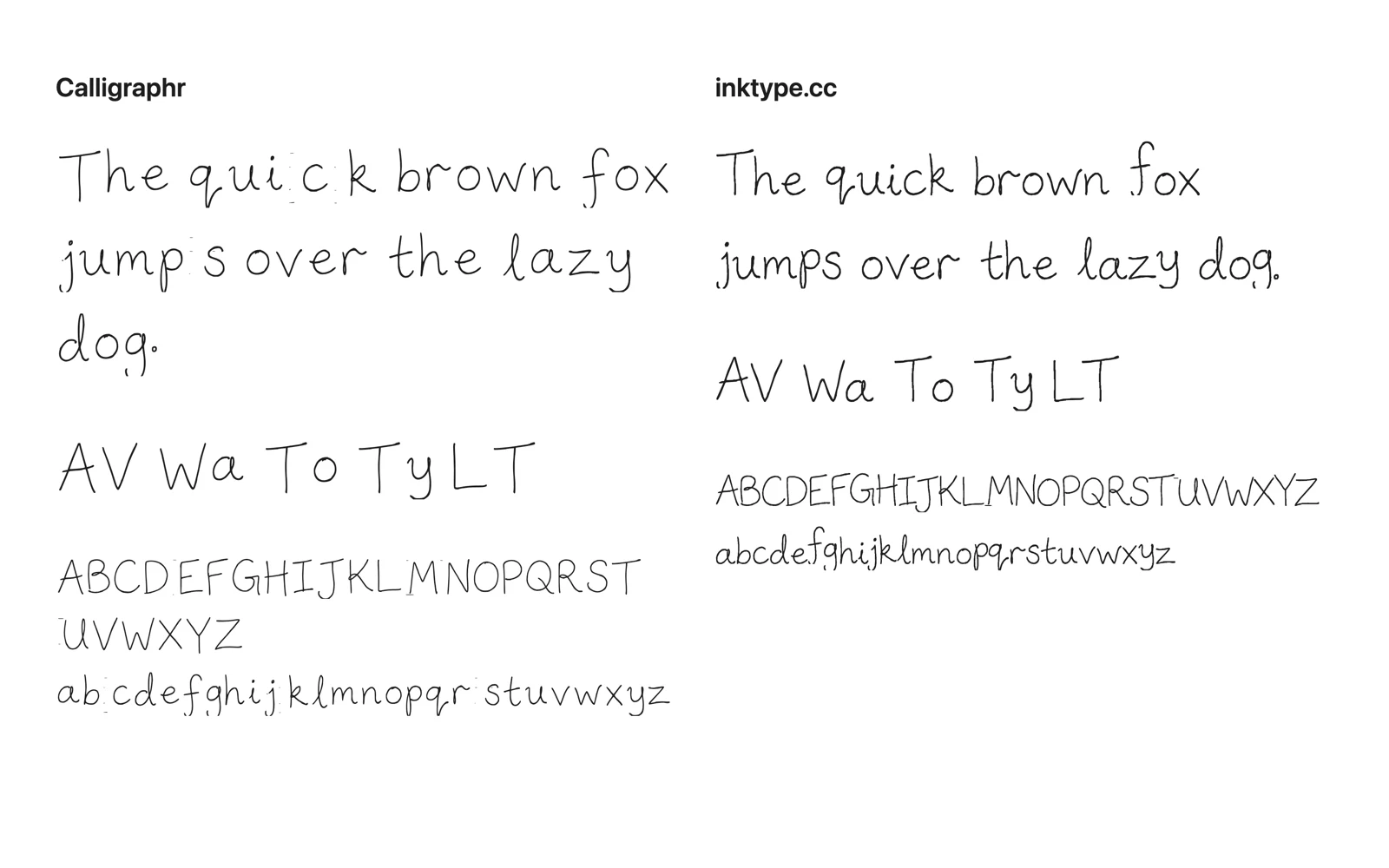
inktype.cc reads only its own sheet, so there was no second handwritten sheet. Instead, the author set the letters of the Calligraphr font onto an inktype.cc sheet and opened it in the app with the default settings. Both fonts below have the same letter shapes, as Calligraphr traced them, specks from the paper included. The difference is in how each tool spaces, kerns and cleans up those shapes. inktype.cc took about a second from opening the file to the editor.
Calligraphr's font has no kerning, so AV, Wa and To keep their full gaps, and specks next to some letters open gaps inside words ("quic k", "jump s"). inktype.cc kerned those pairs and removed the smallest specks by default. One speck, before the f of "fox", stays at the default and goes when Remove specks is raised.
Is 75 characters enough?
For English, yes. The English inktype.cc sheet has 73 characters: capitals, lowercase, digits and basic punctuation.
Other languages need more. The German sheet has 80 characters, Spanish 89, Polish 91 and French 103, because each adds its own accented letters. On Calligraphr's free plan you would have to leave some out.
When Calligraphr is the better choice
Calligraphr has more ready-made character sets: 73 languages in its template maker, against the 18 languages inktype.cc covers.
When inktype.cc is the better choice
- You don't want an account. Open the page and start. There is no email address to give and no password to remember.
- You write in a language beyond English, such as Polish, Czech, Swedish or Russian. Each language has its own sheet, so letters like ł, ř, å and ж are in your own hand.
- You'd rather not upload your handwriting. Your browser reads the photo, and no copy goes to a server.
- You want to work on several fonts at once. Calligraphr's free plan works on one font at a time, and inktype.cc has no limit.
- You prefer a desktop app. There are free apps for macOS, Windows and Linux.
Other free options
- FontCrafter is free, needs no account and runs in the browser, including on phones. It exports OTF, TTF and WOFF2 and adds ligatures and alternate letters.
- LeFont is an iPhone and iPad app with no account. It reads its own writing sheet on your device and exports a TTF for free. Kerning, ligatures and WOFF2 need Pro.
- fontmaker.co runs in the browser with no sign-up. Its free plan covers 26 characters for personal use.
- FontForge is a free, open-source font editor for Windows, macOS and Linux. It gives you control over every curve but takes a while to learn.
- MyScriptFont and PaintFont no longer exist. paintfont.com now forwards to Calligraphr.
How this comparison was made
The Calligraphr column comes from its pricing page, FAQ and template maker, read on 30 September 2026, and from the test above on its free plan. The inktype.cc column comes from the app. The author of this page makes inktype.cc, so check the Calligraphr column against the links below.
Calligraphr pricing · Calligraphr FAQ · FontCrafter · LeFont · fontmaker.co · FontForge